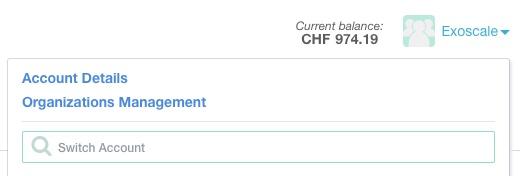
In order to improve the UX related to the Account and Organization management, we have modified the web Portal to clearly separate the two.
Your User Account preferences and settings are now always reachable on top right dropdown, under the "Account Details" menu voice. There is no more need to shift context to your Personal Organization to modify them. This includes:
The management of the Organizations you belong to has moved to a dedicated screen, reachable from the top right dropdown, under the "Organizations Management" menu voice.
You current context / Organization preferences and settings are under the Organization menu on the left main navigation column. Here you will find:
All of those related to your current context / Organization.
The IAM section has been expanded to regroup all access-related settings for your current context / Organization, including legacy API Access keys and Users management for the context you are in.