Network Load Balancer now supports IPv6
September 24, 2026
NewComputeNetworkingNLB
Network Load Balancers now support IPv6. You can create an IPv6 Network Load Balancer in the Exoscale Portal or with the Exoscale CLI.
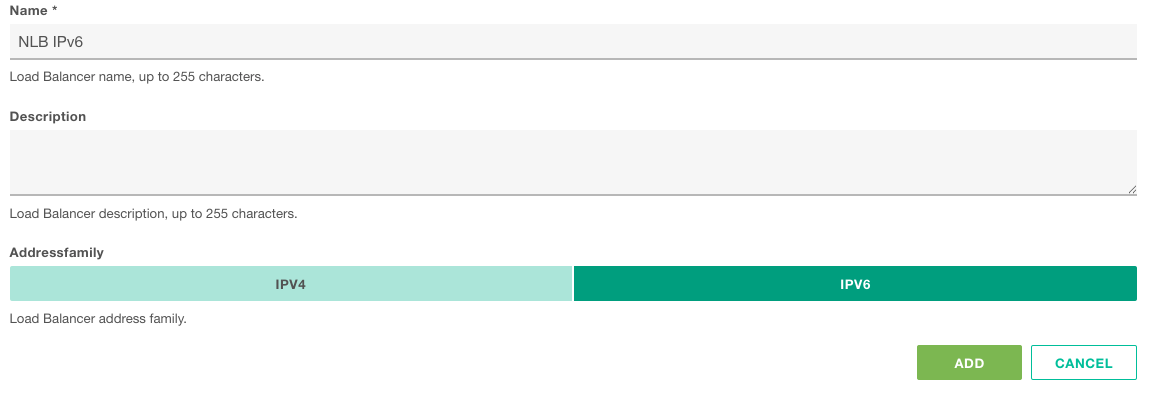
An IPv6 Network Load Balancer gets a public IPv6 address and distributes TCP and UDP traffic across the instances in your Instance Pools, just like an IPv4 Network Load Balancer.
Why use it
- Lower cost: Elastic IPv6 addresses are free, so you only pay the load balancer fee. An IPv6 Network Load Balancer costs EUR/CHF/USD 0.02083 per hour, about 40% less than the IPv4 version. Check the pricing page for details.
- Reach IPv6 users directly: Serve users on IPv6-only and IPv6-first networks, natively and without translation layers.
- Go fully IPv6: Your instances already get a free public IPv6 address. Now the load balancer in front of them can be IPv6 too.
- Nothing to give up: Same health checks, load balancing strategies and 200 service limit as an IPv4 Network Load Balancer.
Before you start
The target Instance Pool must have IPv6 enabled (dual-stack). Instance Pools are IPv4 only by default, so set public IP assignment to dual-stack. Instances without an IPv6 address won’t receive traffic.

